

























Live sports streaming has become increasingly popular among fans who want to watch their favorite teams and sporting events online. Whether it is football, basketball, cricket, or another major sporting event, viewers expect clear picture quality and uninterrupted playback.
However, one common problem can affect the entire experience: insufficient internet bandwidth.
A slow or unstable connection can cause buffering, reduced video quality, and unexpected interruptions. Understanding how much bandwidth live sports streaming requires can help viewers choose the right internet plan and enjoy a smoother viewing experience.
What Is Bandwidth in Live Sports Streaming?
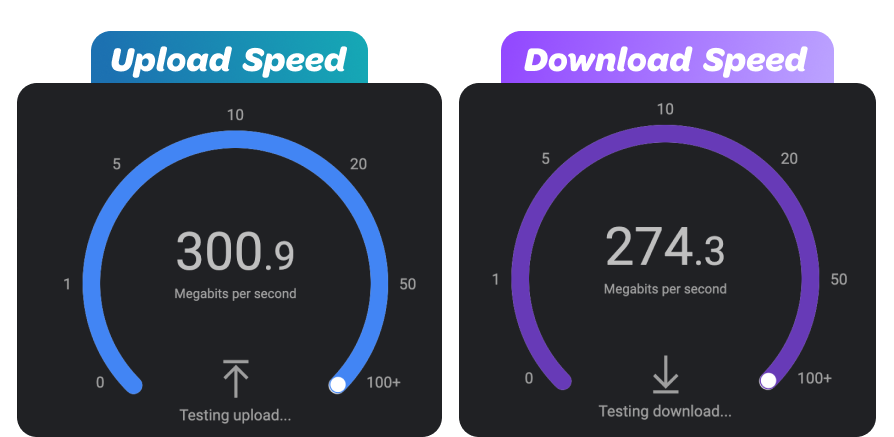
Bandwidth refers to the amount of data that an internet connection can transfer within a specific period. It is generally measured in megabits per second (Mbps).
When watching live sports online, your device continuously receives video and audio data from a streaming server. Higher-quality video generally requires more bandwidth because it contains more visual information.
For example, streaming in standard definition requires less bandwidth than watching a sporting event in Full HD or 4K resolution.
It is important to remember that bandwidth and internet speed are closely related, but connection stability and latency also influence streaming performance.
How Much Bandwidth Do Different Streaming Qualities Need?
The amount of internet speed required depends on video resolution, streaming technology, and platform recommendations.
Here are general estimates for a single stream:
- Standard Definition (SD): Around 3 Mbps.
- High Definition (HD): Around 5–8 Mbps.
- Full HD (1080p): Around 8–10 Mbps.
- 4K Ultra HD: Around 20–25 Mbps or more.
These figures are practical estimates rather than universal requirements. Actual recommendations vary between streaming providers.
For live sporting events, having additional bandwidth available is useful because multiple devices and background applications may compete for the same internet connection.
Factors That Affect Live Sports Streaming Bandwidth
Several factors influence how much bandwidth your connection needs.
1. Video Resolution
Resolution is one of the biggest factors affecting bandwidth consumption.
Higher resolutions provide sharper images and more visible details. However, they also require more data to be transferred.
Fans watching fast-moving sports such as football and basketball may prefer higher-quality video because it makes player movements and important game moments easier to follow.
2. Number of Connected Devices
Your internet connection may support multiple activities simultaneously.
For example, one family member might be watching a live football game while another is attending an online meeting and someone else is downloading a large file.
All these activities consume bandwidth.
A connection that works perfectly for one streaming device may struggle when several devices are active.
3. Wi-Fi Signal Strength
Even a high-speed internet package cannot guarantee smooth playback if your Wi-Fi signal is weak.
Distance from the router, physical obstacles, wireless interference, and network congestion can reduce actual connection performance.
Using an Ethernet cable can provide a more consistent connection for televisions and desktop computers.
4. Streaming Platform Requirements
Different streaming services use different video compression technologies and delivery systems.
As a result, two platforms offering similar resolutions may have different bandwidth requirements.
Always check the recommended internet speeds provided by your streaming service.
How Much Data Does Live Sports Streaming Consume?
Bandwidth and data usage are two different measurements.
Bandwidth describes how quickly data is transferred, while data usage measures the total amount consumed over time.
Approximate data consumption for one hour of streaming may look like this:
- SD quality: 0.7–1 GB.
- HD quality: 1.5–3 GB.
- Full HD quality: 2–4 GB.
- 4K quality: 7–10 GB or more.
Actual usage varies depending on video bitrate, compression, frame rate, and platform settings.
This information is especially important for people using internet packages with monthly data limits.
If you regularly watch multiple live sporting events, monitoring data consumption can help prevent unexpected usage charges.
Tips to Prevent Buffering During Live Sports
Buffering can be frustrating, particularly during important moments in a live game. Fortunately, several simple steps can improve streaming performance.
Use a Stable Internet Connection: Whenever possible, connect your television or computer directly to the router using an Ethernet cable.
Choose the Appropriate Video Quality: If your connection is unstable, reducing the resolution can help maintain uninterrupted playback.
Limit Background Downloads: Pause unnecessary downloads, cloud backups, and other bandwidth-intensive activities while watching sports.
Restart Your Router: Occasionally restarting network equipment can help resolve temporary connectivity problems.
Position Your Router Carefully: Place the router in an open and central location to improve wireless coverage.
Upgrade Your Internet Plan When Necessary: If several people regularly stream content simultaneously, a higher-speed package may provide a better experience.
How to Choose the Right Internet Plan for Sports Fans
Choosing an internet plan should depend on your household’s actual usage rather than advertised download speeds alone.
A single viewer watching HD sports content may be comfortable with a relatively modest connection. However, households with several simultaneous streams generally need more available bandwidth.
Consider these factors before selecting an internet package:
- Number of people using the connection.
- Number of simultaneous streaming devices.
- Preferred video resolution.
- Monthly data allowance.
- Connection reliability during peak hours.
- Availability of fiber or other high-speed broadband services.
Sports fans who want to explore more viewing-related information can also check this guide about the cheapest way to watch NFL without cable. It provides additional context for understanding affordable sports viewing options.
Finding Useful Sports Streaming Resources
Internet speed is only one part of a good online sports viewing experience. Fans also benefit from having access to useful sports information, viewing guides, and resources that help them understand different streaming options.
Exploring established sports-related websites can make it easier to stay informed about viewing choices and entertainment developments.
For more sports-related content and helpful resources, visit Best Buff Streams.
Having the right combination of a reliable internet connection and useful information can help sports enthusiasts make better decisions about their online viewing experience.
Final Thoughts
A smooth live sports streaming experience depends on more than simply purchasing the fastest internet package.
Video resolution, network stability, connected devices, and monthly data limits all influence playback quality.
By understanding bandwidth requirements and optimizing their home networks, sports fans can reduce buffering and enjoy their favorite sporting events with fewer interruptions.
Whether you watch occasional football games or stream multiple sporting events every week, choosing an internet plan that matches your viewing habits can make a significant difference.